


Industrial-embedded integration matters today because modern factories increasingly rely on external embedded systems for real‑time monitoring and automation. Embedded systems are becoming companions to PLCs, unlocking capabilities that traditional control architectures alone may struggle to deliver while reducing system costs.
To illustrate how the industrial and embedded worlds can work together, I built a simple demo that connects an ESP32-based device directly to a Siemens PLC using the native Siemens S7 protocol.
The result is an Ethernet-connected embedded system that reads PLC inputs in real time and uses that data to drive an RGB LED Pixels Strip: no gateways, no HMIs, and no middleware.
Demo Overview
The demo is intentionally simple. I am using our PLC lab setup with a few switches and buttons connected to the PLC to control a standard RGB LED Pixels Strip connected to an ESP32-P4 dev kit. The block diagram of the system is presented below.

Here is a picture of the complete setup below:

PLC Logic and Configuration
There are two external switches and two buttons attached to the PLC. Each input is mapped to a location in the PLC data block. The PLC program updates this data block continuously based on the switches/buttons’ state.
The PLC exposes this data block that contains the state of four inputs:
- Two switches
- DB1.DBX0.0: switch 1 – on/off
- DB1.DBX0.1: switch 2 – chase effect on/off
- Two momentary push buttons
- DB1.DBX0.2: push button 1 – color green
- DB1.DBX0.3: push button 2 (normally closed) – color red
The PLC should be configured to allow Siemens S7 PUT/GET communication. S7 is a native PLC protocol that allows external devices to read and write PLC memory areas over Ethernet. Unlike fieldbus protocols, S7 PUT/GET provides direct access to PLC data blocks, making it well-suited for lightweight integrations.
In this demo, the ESP32 acts as an S7 client, connecting directly to the PLC and periodically reading the data block DB1. No custom function blocks or other logic are required on the PLC side. For embedded devices, this protocol could provide a simple way to exchange data with a Siemens PLC while keeping the PLC logic minimal.
There are a few important settings that need to be enabled on the PLC side for the S7 protocol to work properly:
1. Disable optimized block access. The data block used for communication (DB1 in this demo) must have optimized block access disabled. This allows the S7 protocol to address data in the data block using absolute addresses such as DB1.DBX0.0

2. Enable PUT/GET communication. In the PLC Protection & Security tab, enable PUT/GET communication.

ESP32-P4 Firmware
The ESP32-P4 is the latest addition to Espressif’s popular line of embedded controllers, designed for high-performance industrial and IoT applications. The official ESP32-P4 development kit provides a great platform for rapid prototyping.
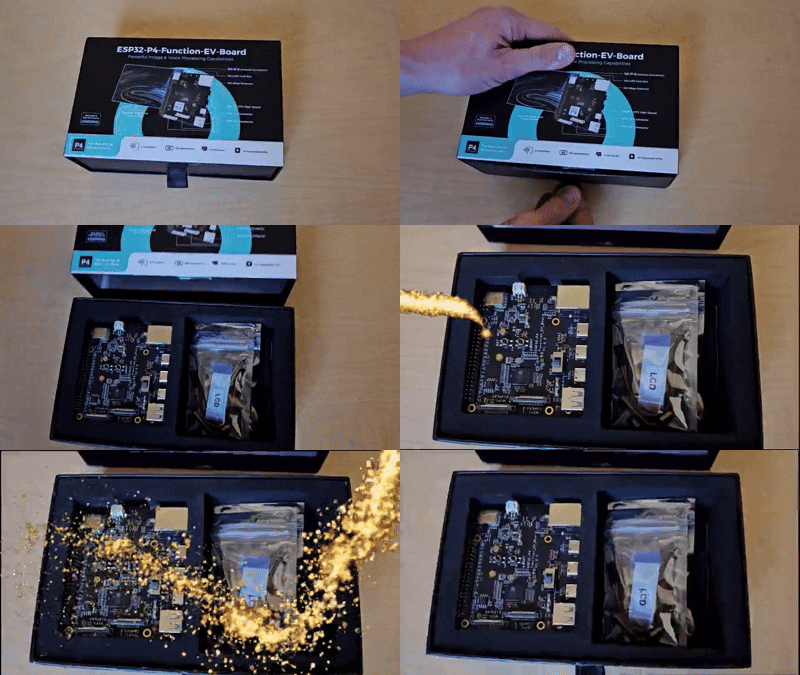
For this demo, I selected the ESP32-P4 dev kit largely because it is new and it has native Ethernet support, allowing us to connect directly to the PLC without external adapters. This made setup straightforward, letting us focus on demonstrating seamless communication between embedded and industrial systems.
The ESP32-P4 dev kit is configured in the Arduino IDE using Espressif’s official board support package. I am using largely default settings, but here is a screenshot of the dev kit configuration in Arduino IDE for reference.
To handle Siemens S7 communication on the ESP32, I am using Settimino, an open-source library. Settimino implements a lightweight S7 client that allows Arduino-compatible devices to communicate directly with Siemens PLCs over Ethernet/S7 protocol. In this demo, the library is used to periodically read a PLC data block and decode individual bits corresponding to physical switches and buttons.
There is a commonly available “WS2812” RGB LED pixel strip connected to the ESP32 dev kit GPIO pin. The firmware changes the LED strip color and triggers a chase effect based on the state of the buttons/switches.
- ESP32-P4 runs an Arduino-based sketch that:
- Initializes the Ethernet interface
- Connects to the PLC over S7
- Reads the data block DB1
- Decodes individual bits corresponding to switches and buttons
- Updates the RGB LED Pixel Strip based on the buttons/switches

The ESP32 acts as a read-only S7 client in this demo, which keeps the PLC configuration simple and the data safe. This pattern is especially useful when the PLC should remain the system authority and the embedded device is purely a consumer, reading the data and not affecting the logic PLC is doing. Although the same approach can easily be extended to write data back to the PLC if required.
Takeaway
This demo shows how a modern embedded platform like the ESP32 can integrate cleanly into a Siemens PLC environment using the S7 protocol without gateways, just straightforward Ethernet communication.
For industrial products, this approach opens the door to smarter peripherals and better visualization at a potentially lower system cost. All while keeping the PLC program simple and maintainable.
It is worth noting that Siemens S7 PUT/GET protocol is very insecure because it does not implement any encryption or authentication mechanism. So, it should only be used with caution and strictly on isolated networks to avoid unintended access to the PLC or other security risks.
You can also watch a short video overview of the demo.
The full Arduino source code and PLC project are available on GitHub.
Ready to connect the embedded and industrial worlds?
DMC can help develop solutions that combine Siemens PLCs, ESP32 platforms, and real-time industrial communications. Learn more about our our Embedded capabilities for your next project.